No items found.
Skip to main content
November 2026

MFB: Dynamic Corridor Widgets

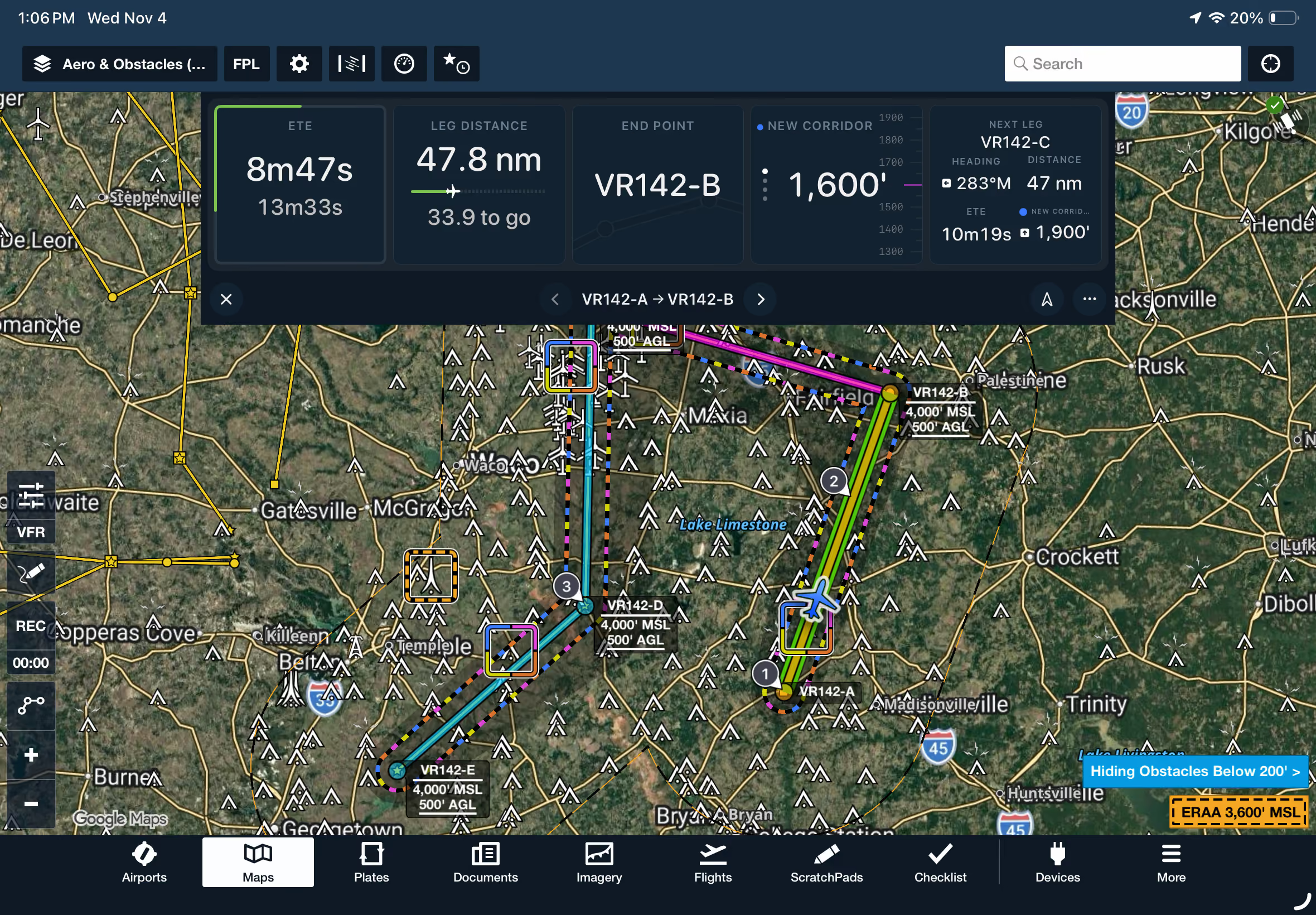
Track remaining time and distance along Low Level Corridors with customizable progress bars.

No images available to display.
back
next

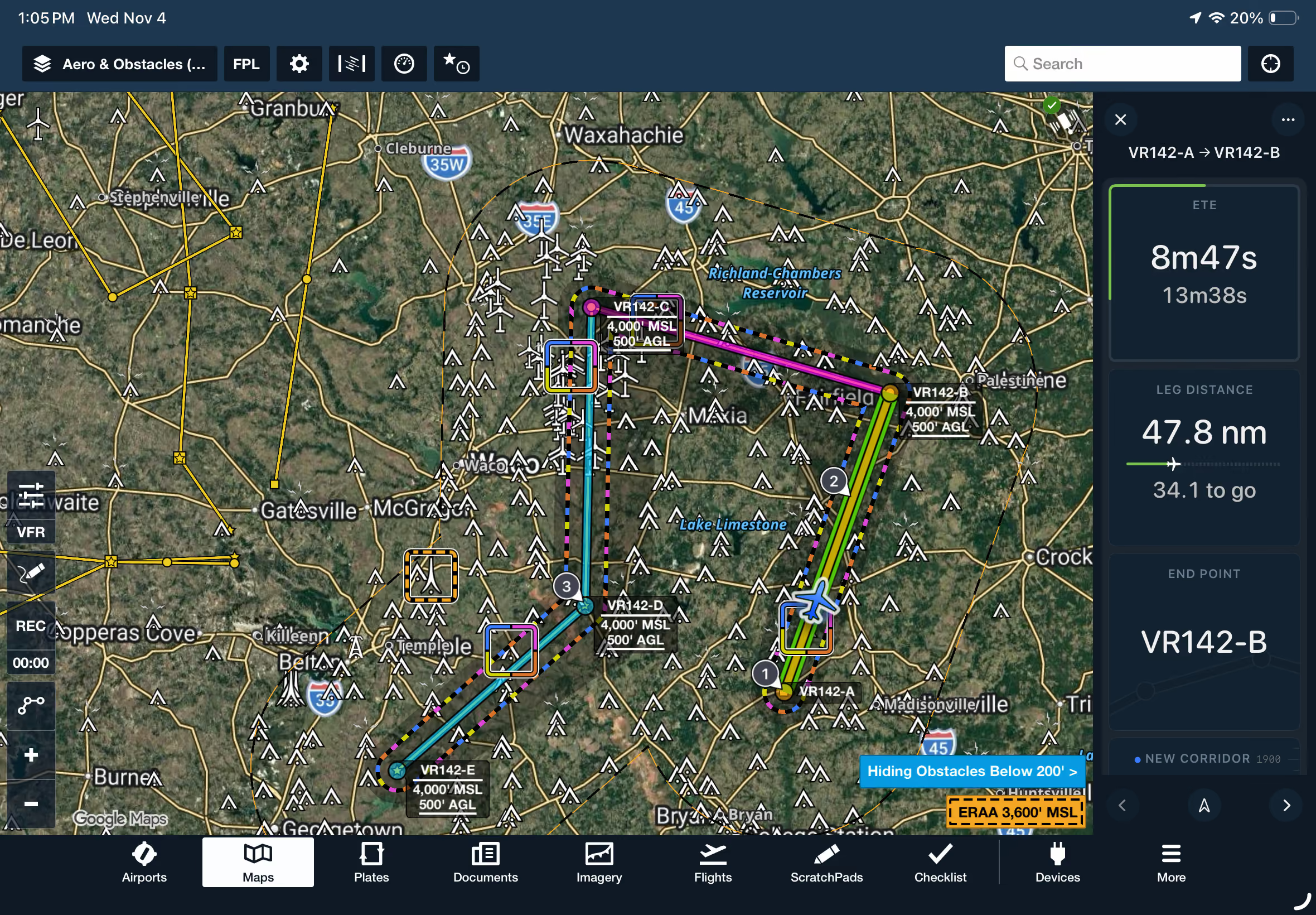
Monitor your progress along Low Level Corridor legs at a glance with new progress bars in the Dynamic Corridor Panel. Open the panel's Edit menu, select a widget, and tap Edit to choose between Default and Large display sizes. Enable Show Progress to display a green progress bar that visually tracks your remaining time or distance along the current leg. Rearrange widgets to prioritize the information most relevant to your mission.

Dynamic Corridor Panel progress bars are available with ForeFlight MFB One subscription plans.
Release notes

Release notes

  • Monitor the time or distance remaining on each leg of a Low Level Corridor route with new enhanced panel widgets that act as dynamic progress indicators.  
  • Low Level Corridors are available with MFB One subscription plans.

Support

Support

FAQs
Find answers to your questions
Pilot's Guide
The complete ForeFlight handbook
Video Library
ForeFlight videos all in one place
Buying Guide
Choose the right iPad and plan