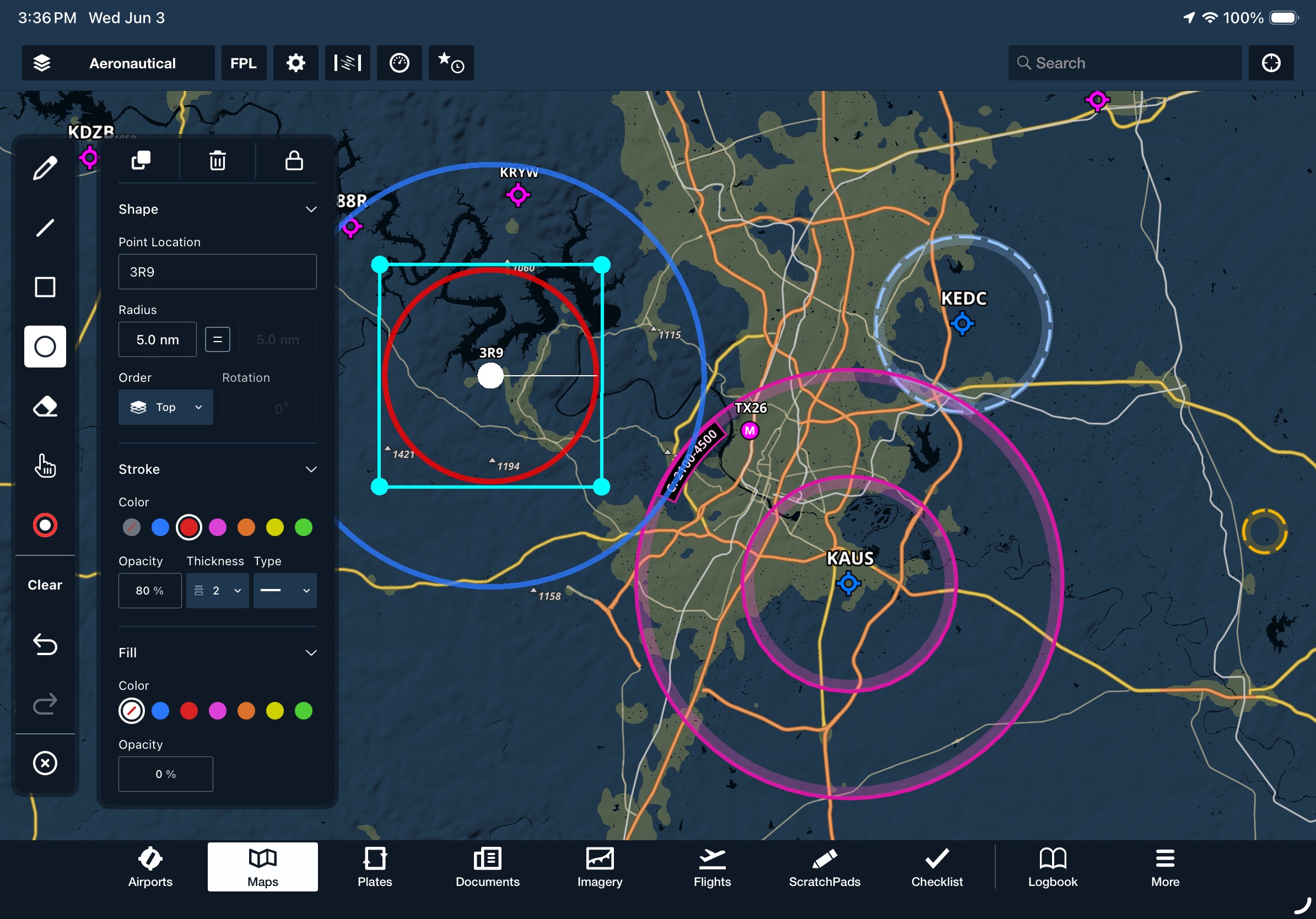
Draw and edit individual shapes directly on the Map view. Enable the Map Annotations overlay in the Map Settings menu, then tap the pencil icon on the left side of the screen to open the Map Annotations toolbar. The upgraded toolbar includes dedicated modes for lines, squares, circles, freehand drawings, and an eraser, along with color-picking, undo, and redo options. Tap any annotation to reposition it or open a detailed editor window, allowing you to center the annotation on specific coordinates or waypoints, adjust its size with locked or unlocked proportions, rotate it, change its stacking order, or modify its stroke and fill colors. The editor also allows you to duplicate, delete, or lock annotations from further editing.
MFB One
MFB: Low Level Corridors
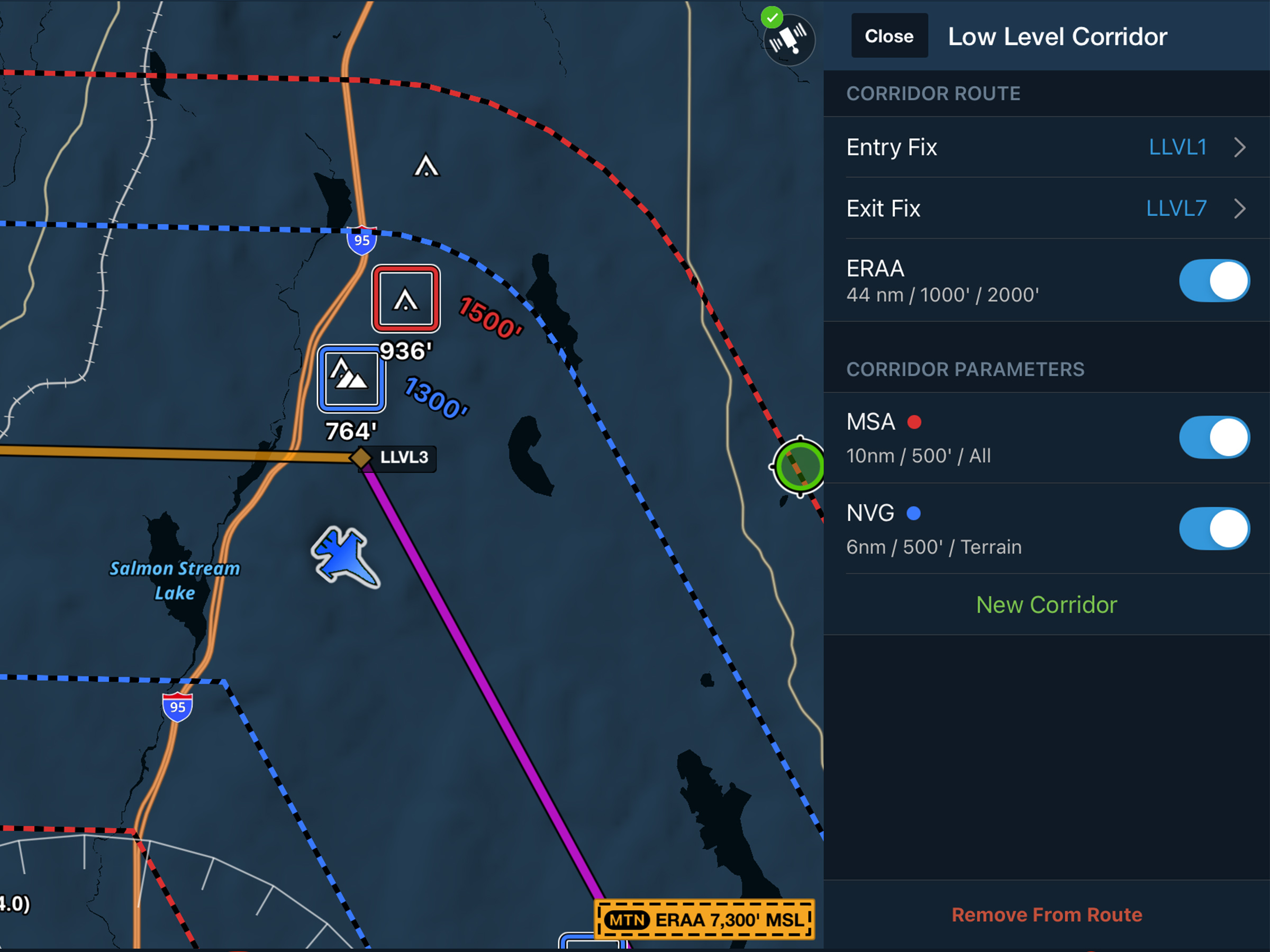
Create tactical corridors to display per-leg hazards and clearance altitudes on the map.