Product Briefing
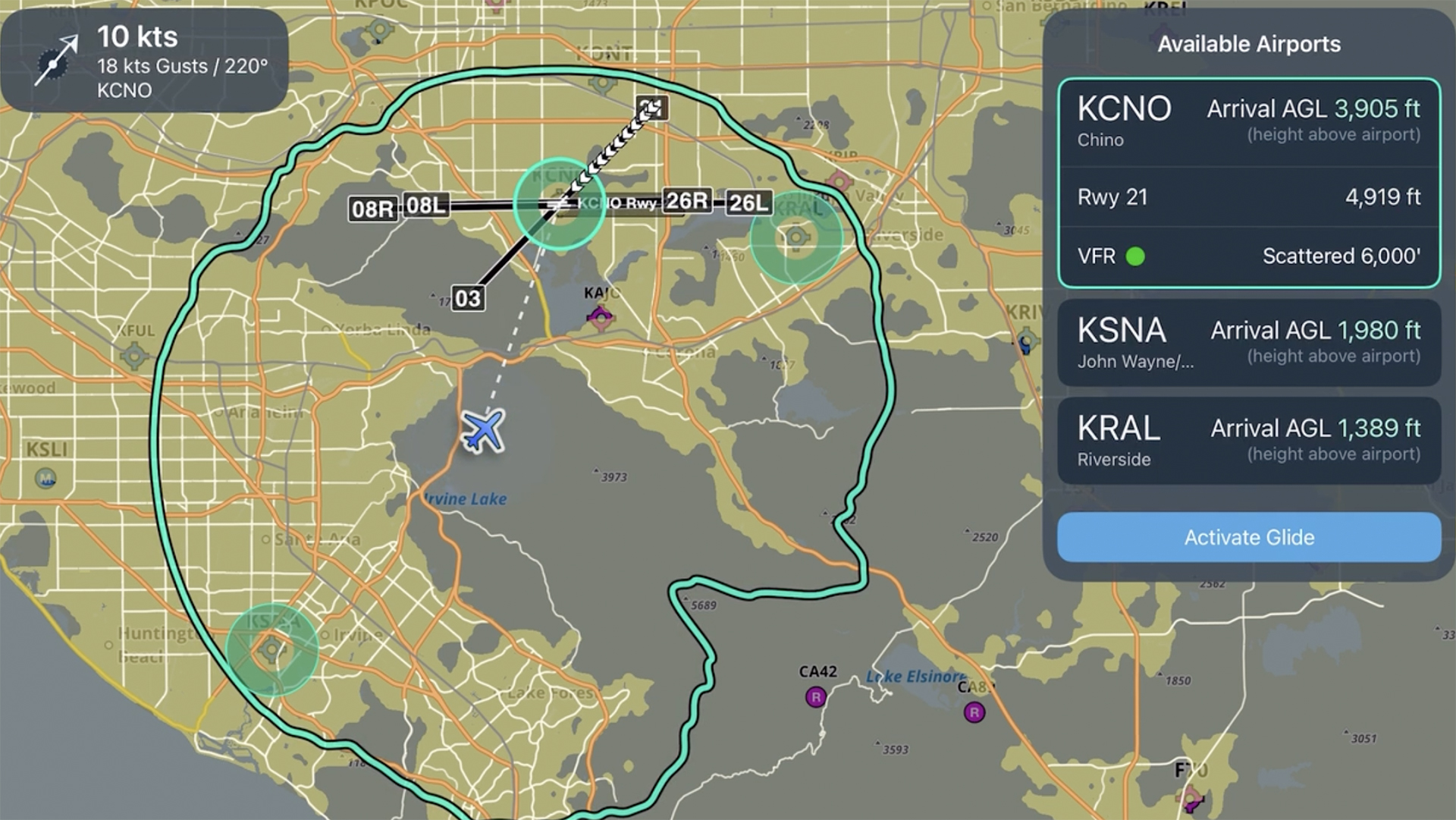
Emergency Glide Mode
Learn how to set up and use Emergency Glide Mode to quickly identify landing options during an engine-out or inflight emergency.
Make the most of ForeFlight while airborne with these powerful tools.
Learn how to set up and use Emergency Glide Mode to quickly identify landing options during an engine-out or inflight emergency.
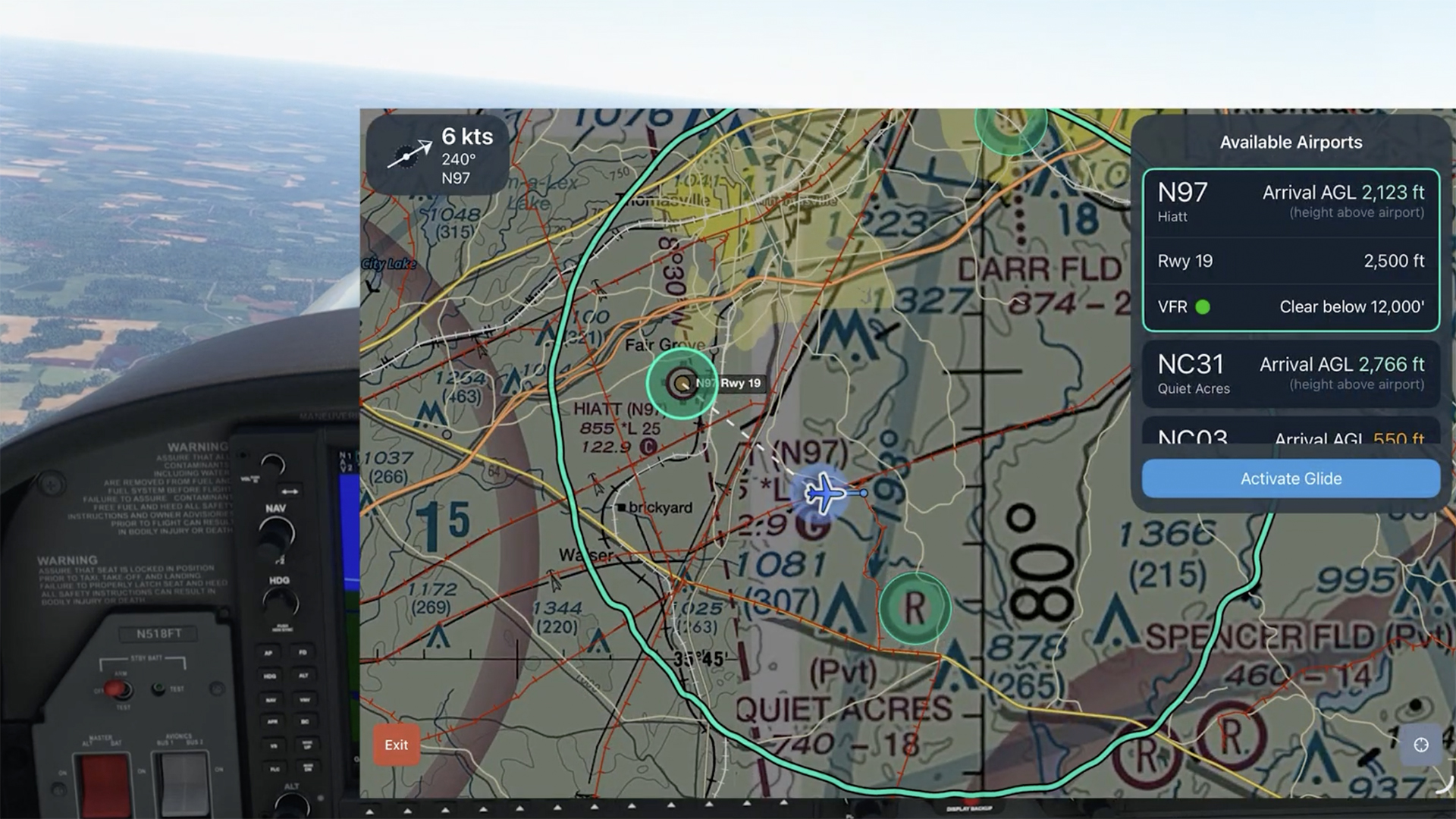
See how Emergency Glide Mode helps identify landing options within glide range during an engine-out scenario.

Checklist Speak allows you to complete your checklists more efficiently by having ForeFlight read them to you.
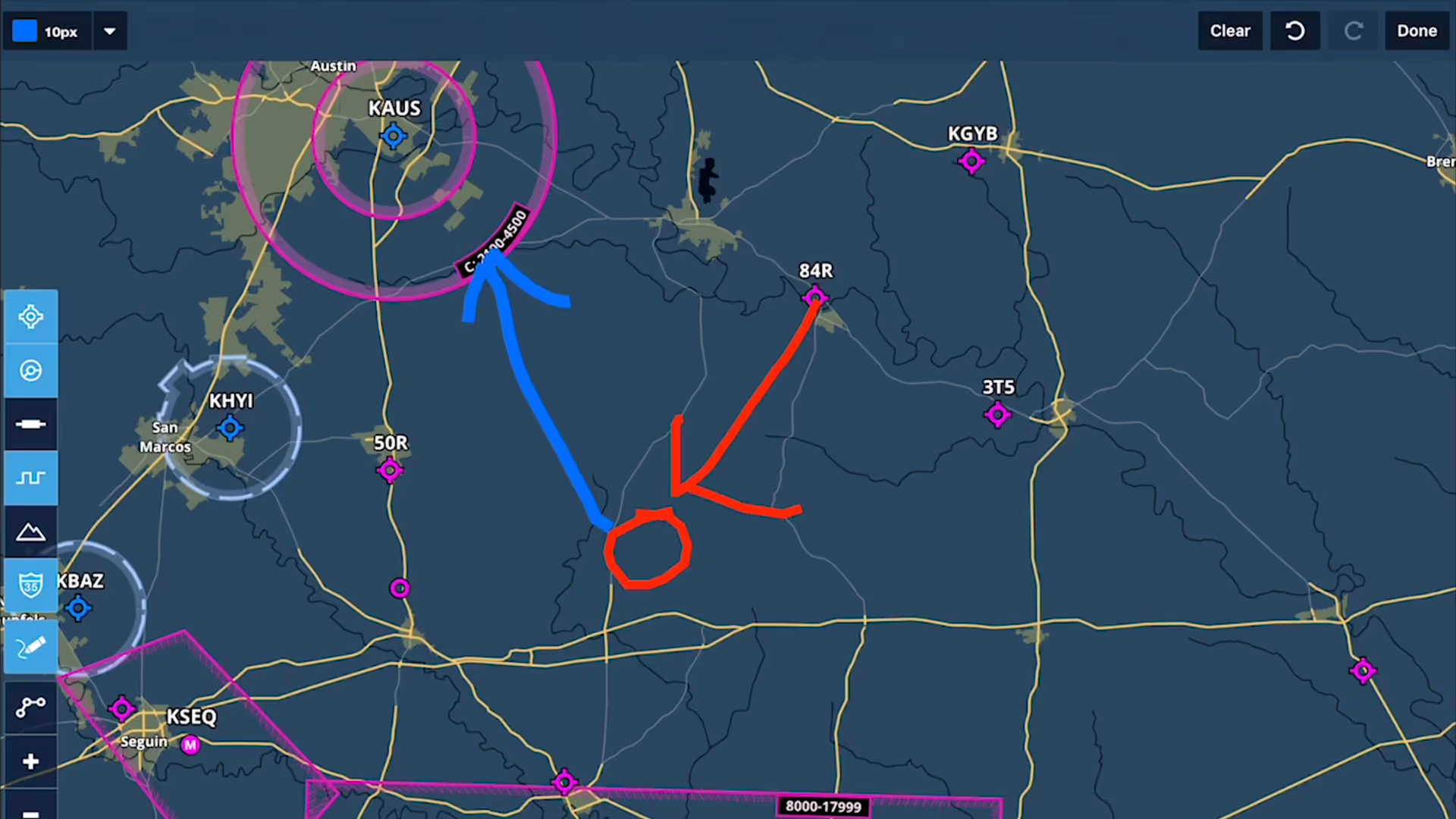
Take notes on the fly and mark up charts using ForeFlight's Map Annotations feature. Tap the Annotations buttons on the Maps view to enter Drawing Mode, and use a finger or stylus to draw on the map.
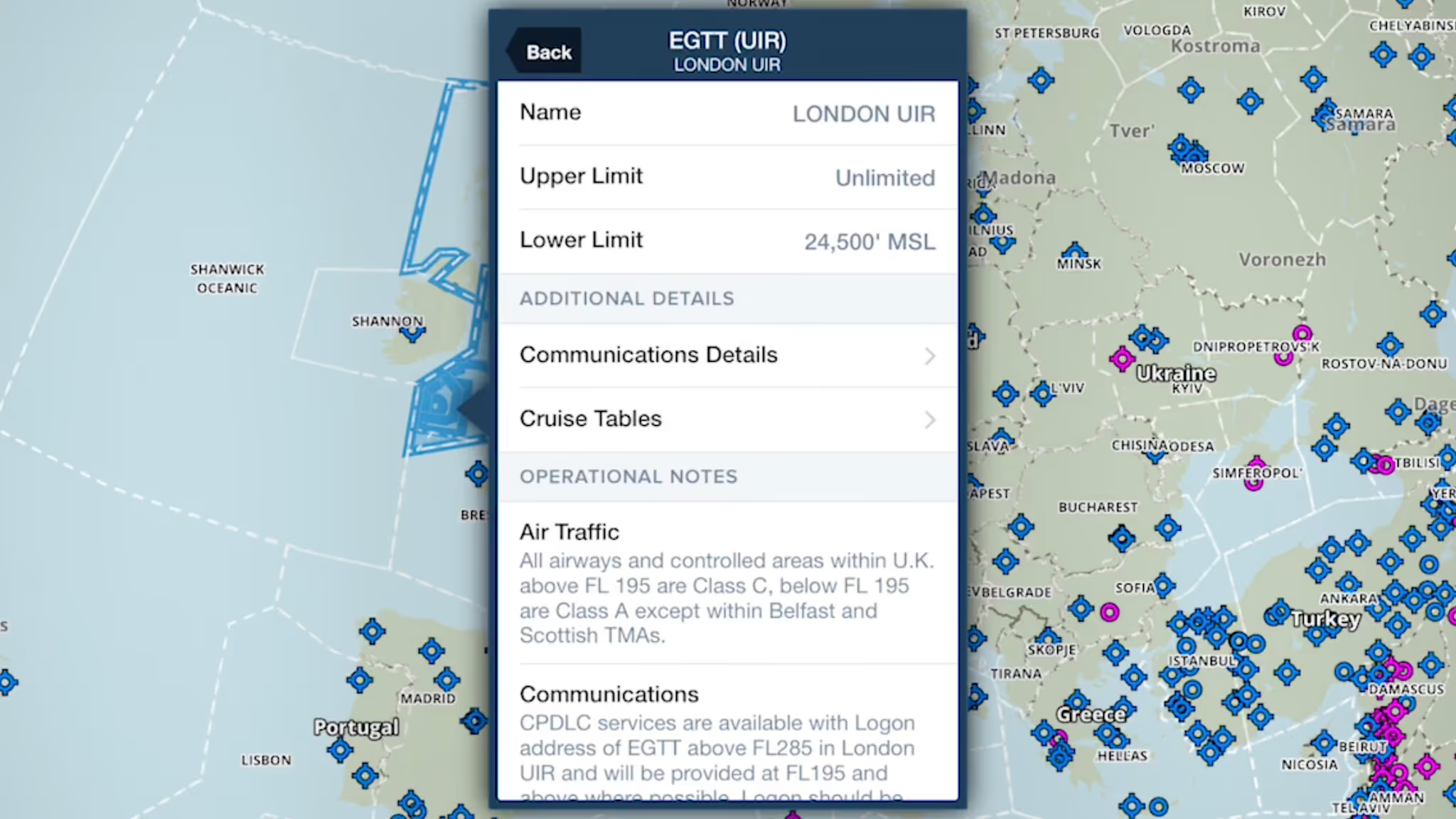
ForeFlight provides advanced global airspace details for FIRs, UIRs, and other airspace types, with important information about frequencies, cruise altitudes, and operational notes.
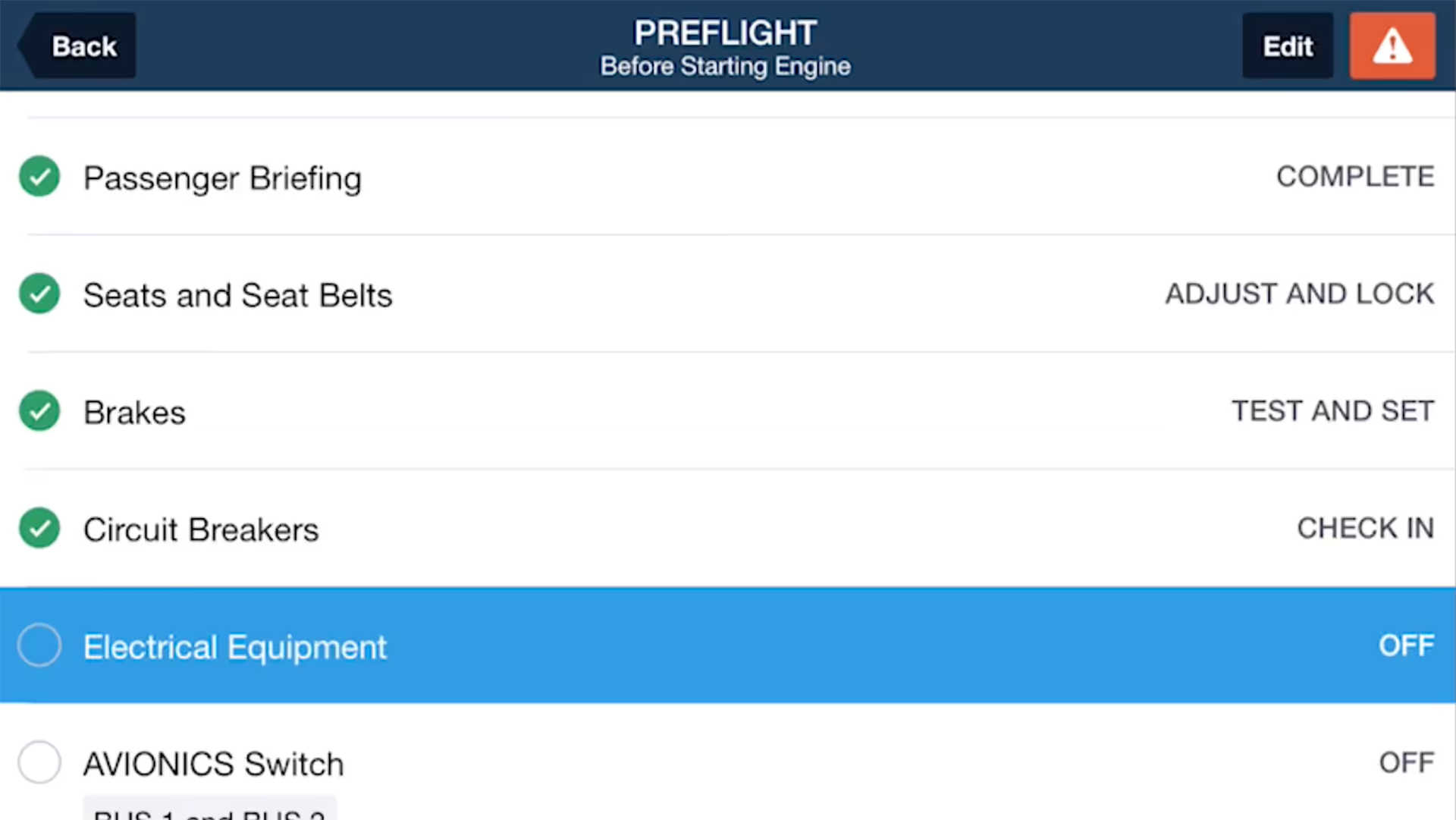
ForeFlight Checklist integrates one of the most important inflight tools into the app you already use for every stage of flight, reducing cockpit clutter and providing an intuitive, simple interface.
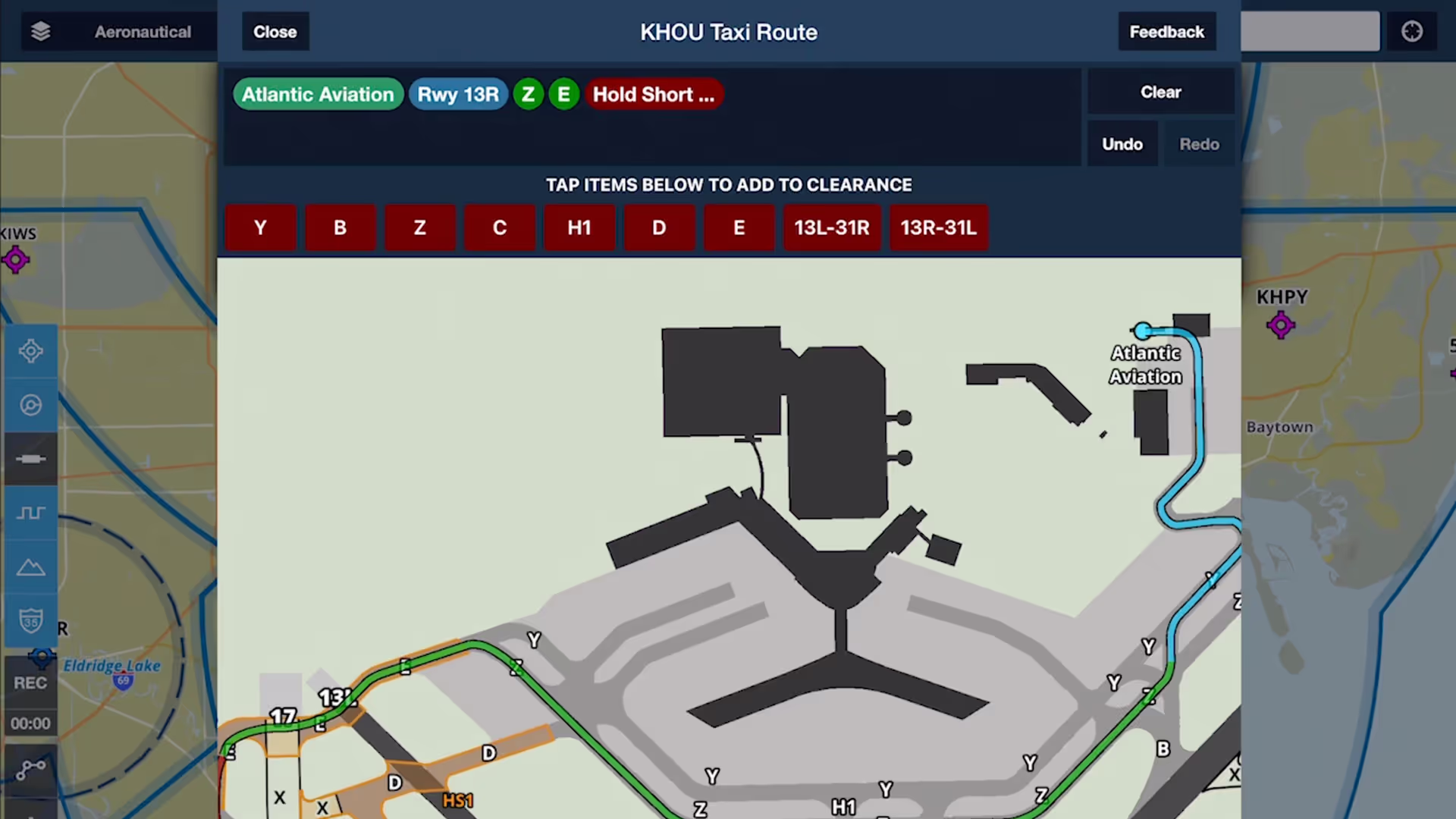
Chart a course to or from the runway with an interactive and contextually-aware Taxi Route editor, available with ForeFlight Performance subscription plans.
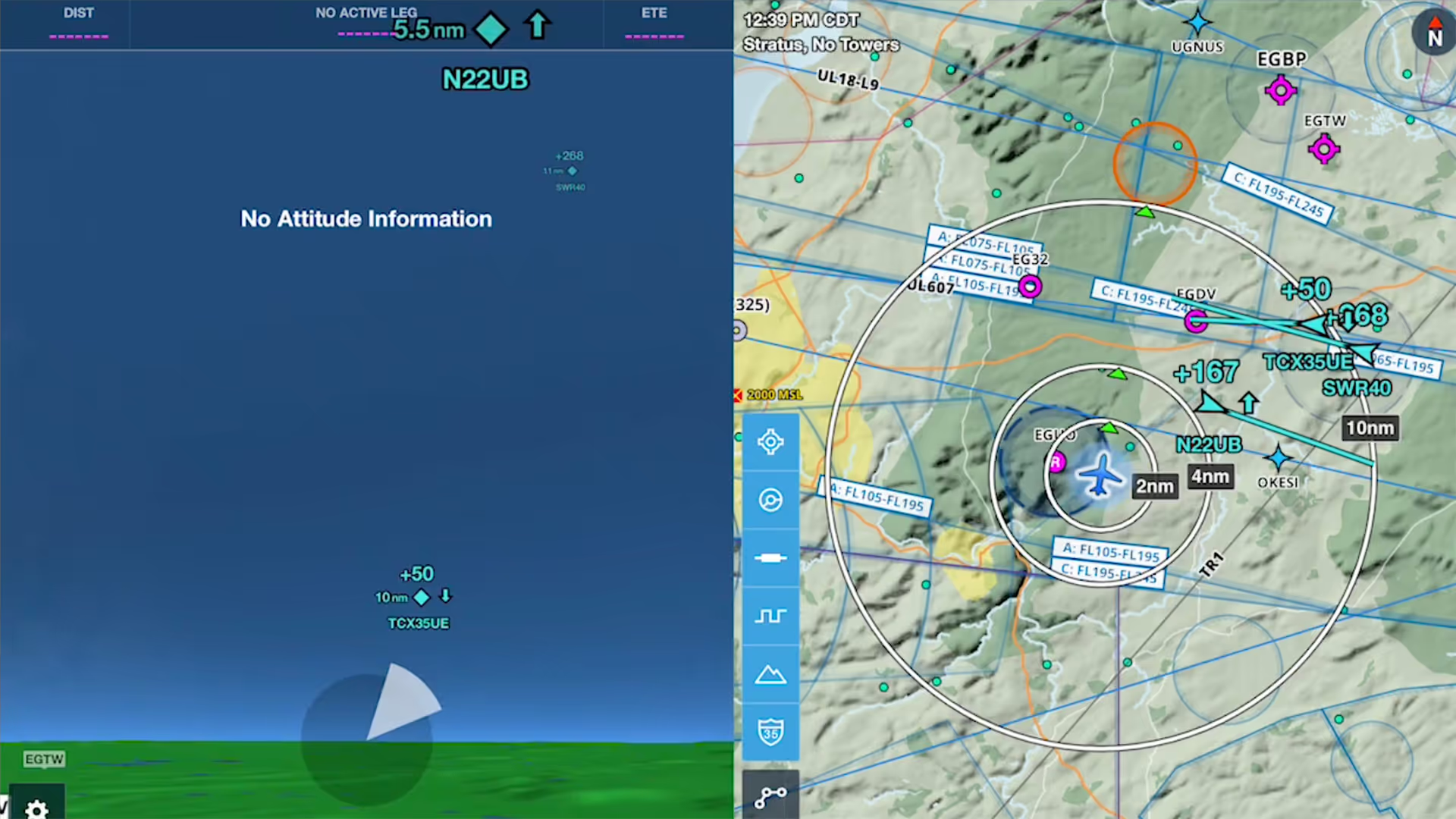
ForeFlight's Synthetic Vision feature now provides even more situational awareness with integrated ADS-B traffic depictions and a 360-degree interactive Glance Mode.
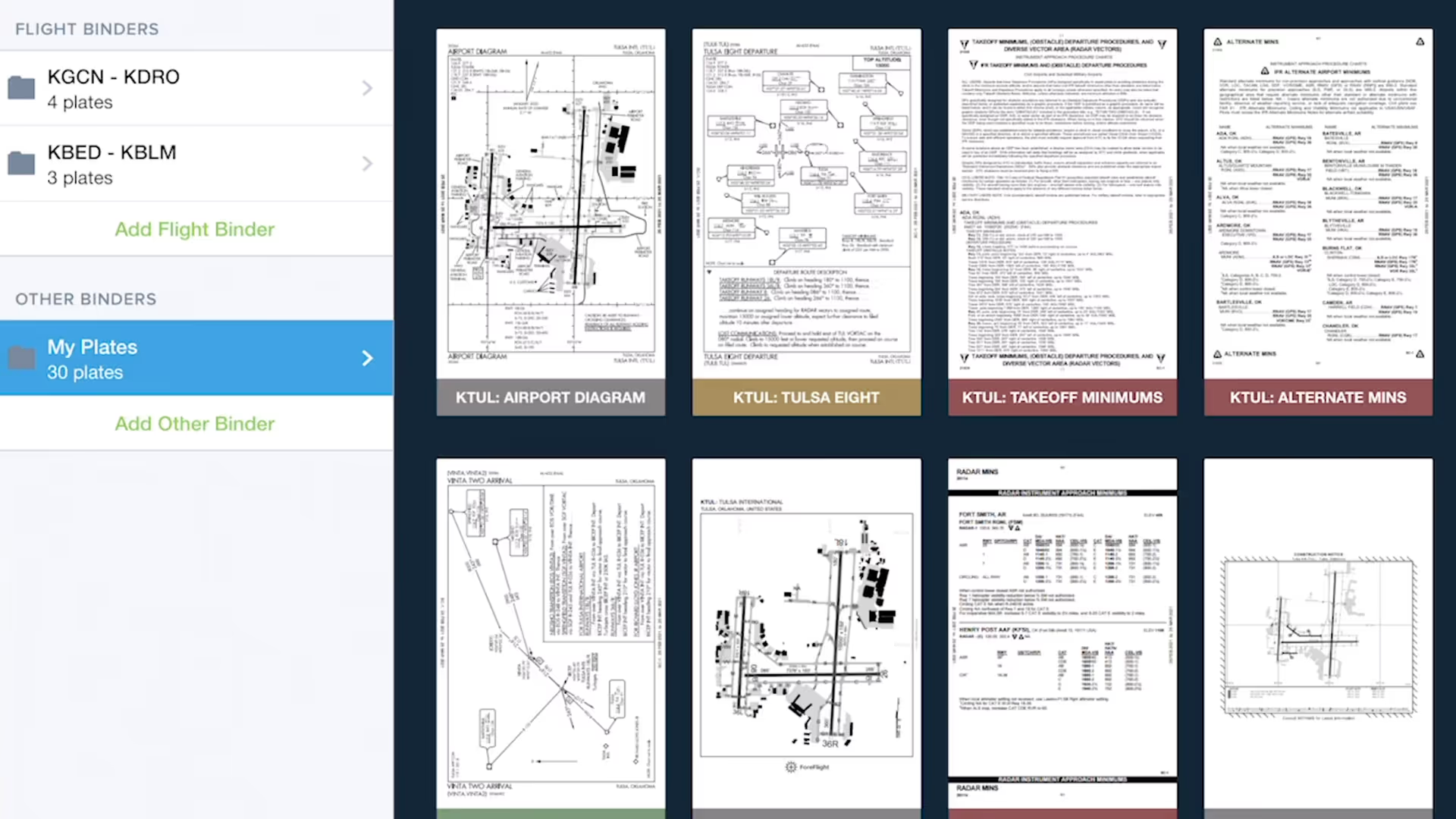
Quickly gather, organize, and access the plates you need for an entire flight using Flight Binders in the Plates view.
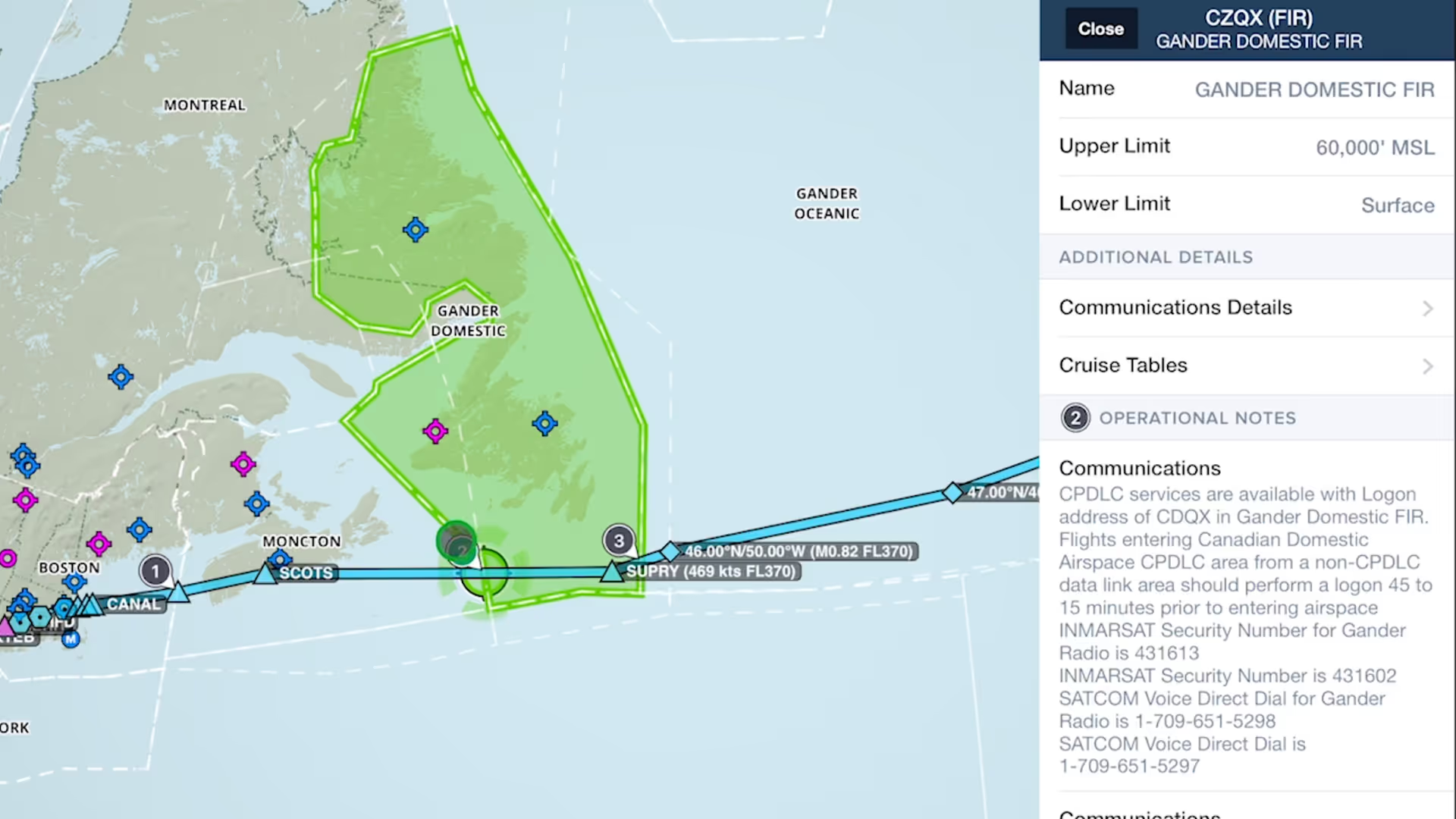
Easily find and review operational notes affecting your route from start to finish with Operational Note Flags
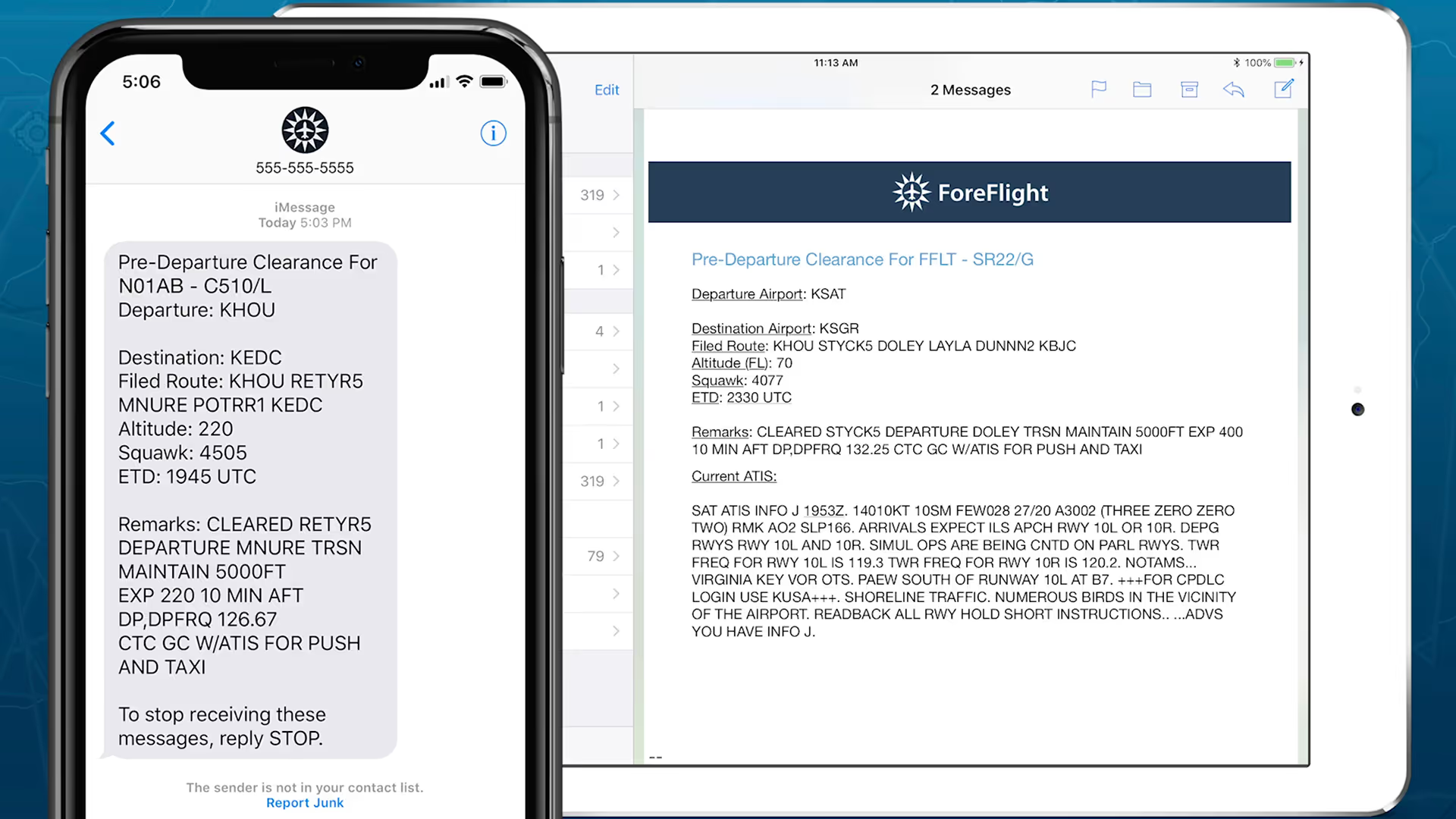
Get in the air faster at over 70 major U.S. airports with mobile pre-departure clearance and digital ATIS support

Quickly find the appropriate minimum for an approach procedure and display it as part of your route to supplement the plate and reduce the risk of errors with Augmented Procedures.

Easily insert a holding pattern anywhere in your route with flexible parameters and automatic pattern entry selection. Hold Advisor is included with ForeFlight Pro Plus subscription plans and above.

Easily add a visual approach or traffic pattern entry to your route with a customizable pattern altitude.
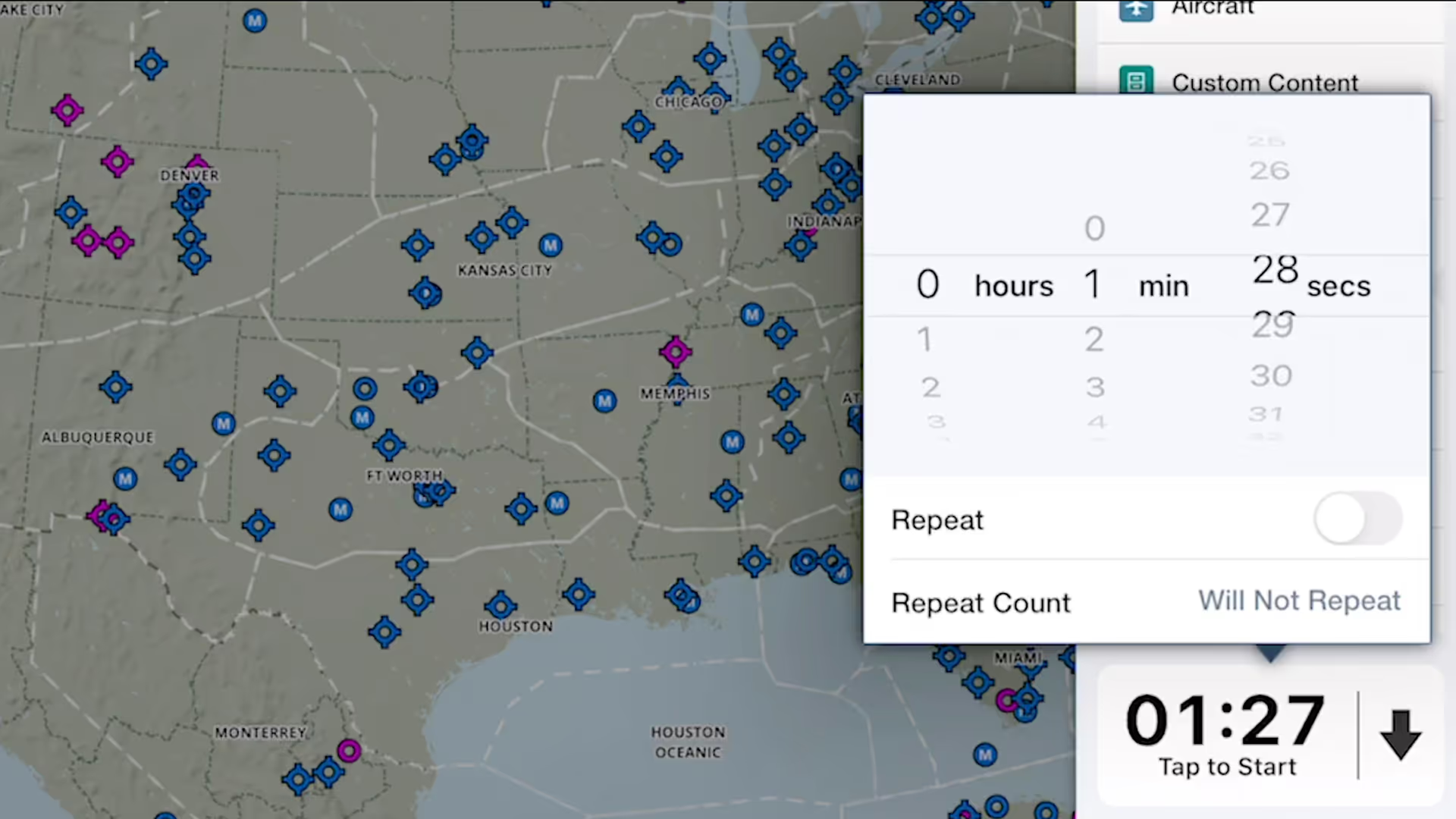
ForeFlight's versatile Multimode Timer is a great way to set inflight reminders for fuel tank switching, time yourself during holds and other procedures, and more.
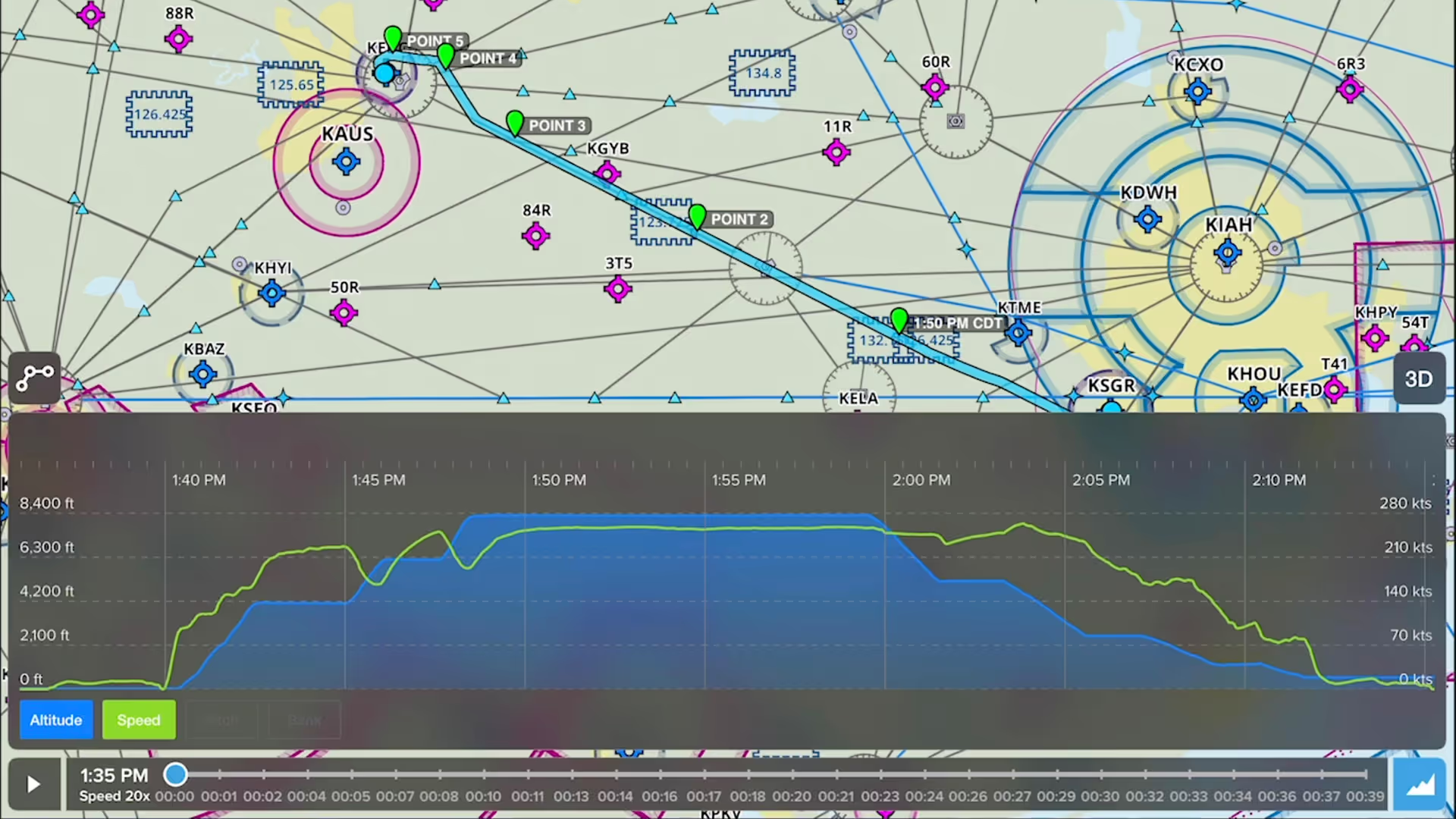
Drop detailed markers along your route and view or share them after the flight using ForeFlight’s Marked Positions feature.
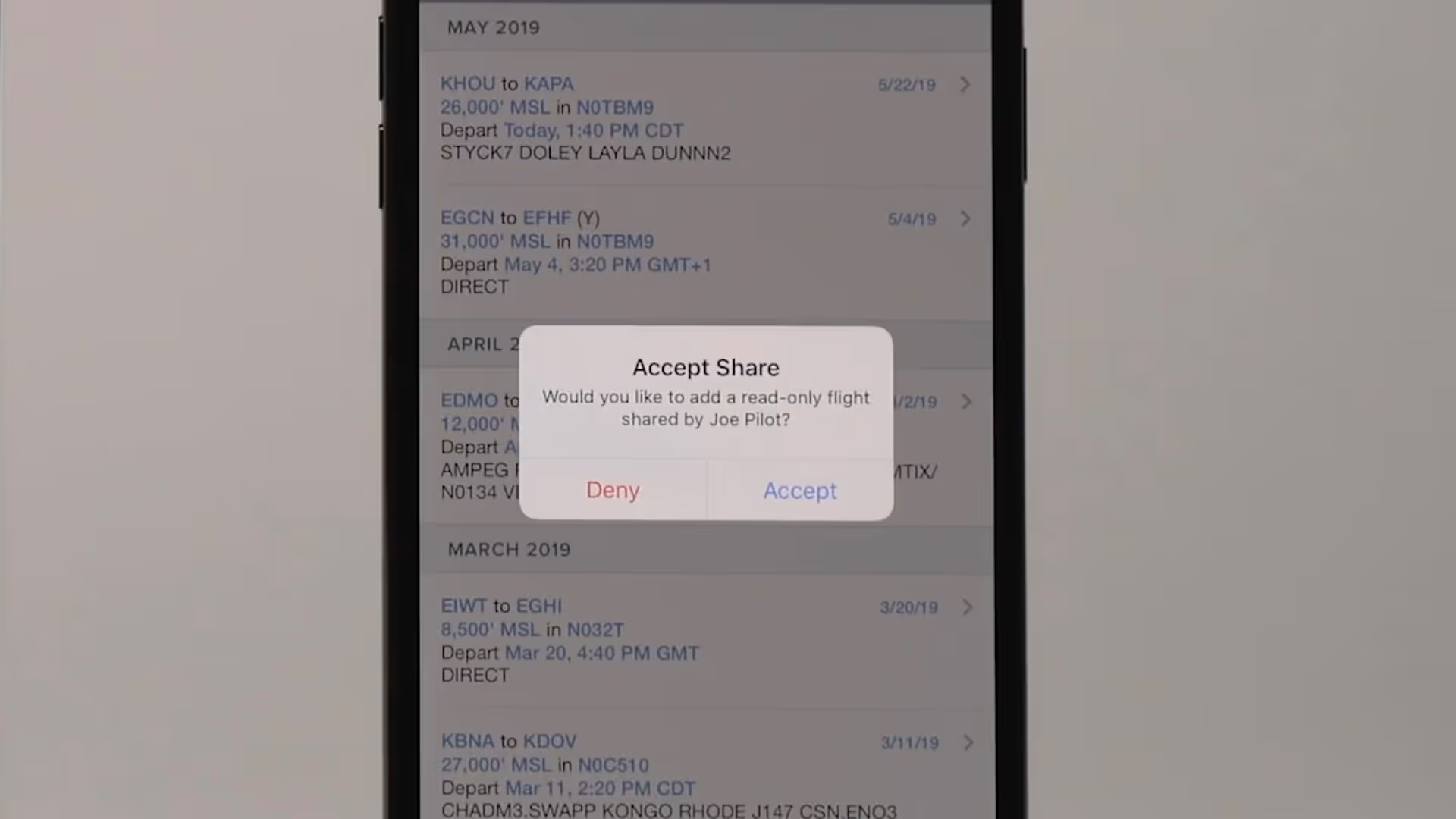
Flight Sharing in ForeFlight allows you to easily share your planned and filed flights with fellow pilots, co-pilots, or crew members for improved collaboration and more efficient flight planning.

Graphical enroute NOTAMs are now supported globally with the new NOTAMs map layer. NOTAMs are color-coded based on type, severity, and active times.

Easily locate frequencies for many kinds of controlled airspace on ForeFlight’s Maps view for quick inflight access.
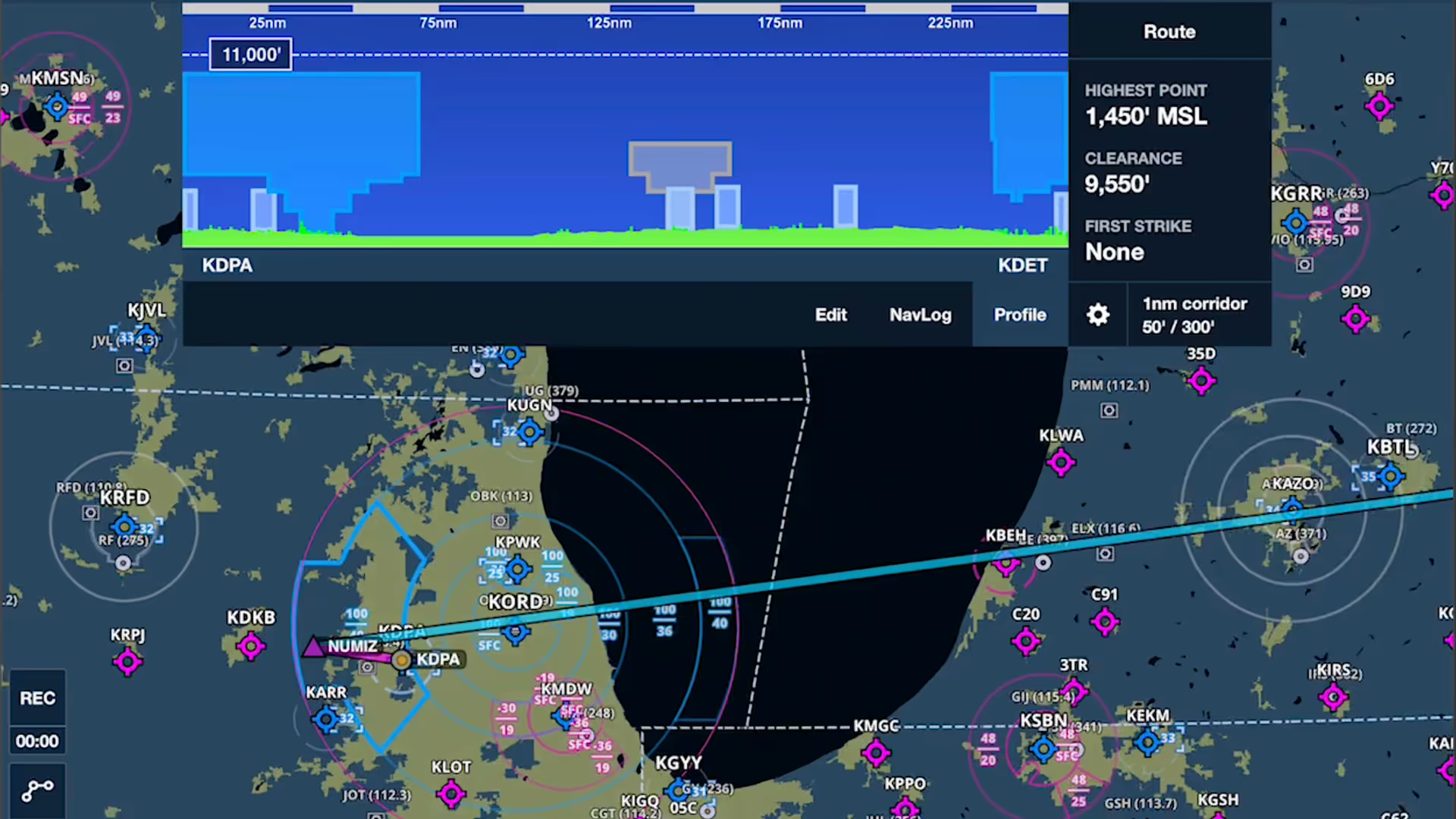
Airspace Highlighting in ForeFlight helps declutter the map and keeps you aware of the airspace affecting your route.